Shaking Head Trend AI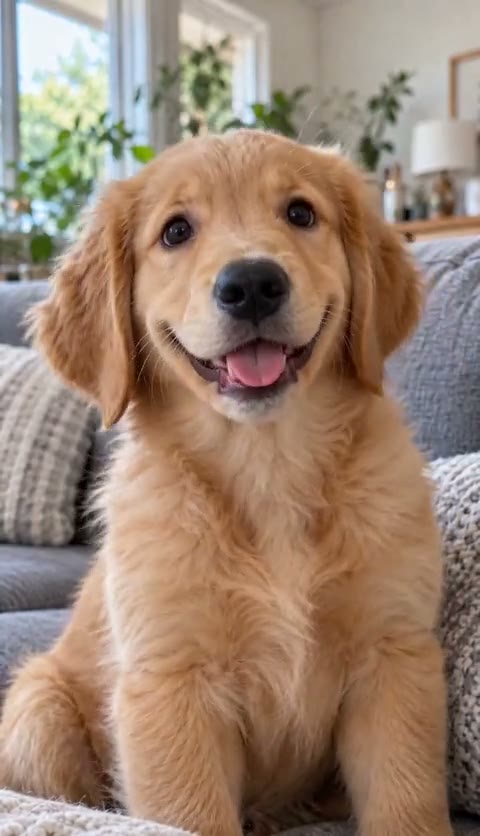

Make your dog's reaction from one photo
Upload one photo of your dog to make a dog nodding head meme: a 15-second vertical video of your pet shaking its head and popping its eyes open, with music, for $9.90 per video. Open the pet video maker and choose a clear photo of your own dog to start.
The example on this page features an AI-generated golden retriever puppy. It shows the routine's cheerful expression changes and rhythm. Your own photo provides the dog's appearance, fur colors and background, so the finished joke belongs to a face you know.
A nod, a sway and a cheeky expression
This is a fixed head-shaking routine: closed eyes and a pleased smile, a rhythmic sway, then wide-open eyes and a big happy look. The expression changes repeat through about four rounds in the 15-second clip. The mood is playful and content, with music carrying the rhythm.
The charm of dog head bobbing comes from how easily a small movement can read as a reaction. A nod can look like agreement; a sideways sway can suggest a dog quietly enjoying its own joke. Here, those movements are generated from your photo, so there is no performance to film.
Give the expression an everyday story
A funny dog shaking head meme works well with a situation your friends immediately recognize. Try 'Me agreeing to a walk before hearing the weather' or 'When I hear the treat bag from another room.' These are caption ideas to add yourself in a video editor.
Keep the wording short enough that the face remains the focus. The closed-eye smile sets up the mood, and the eye pop gives the caption somewhere to land. You can also leave the clip without text and let the dog's expression carry the reaction in a chat.
Pick a portrait with clear eyes and muzzle
Choose a front-facing photo in good light with one dog clearly visible. The eyes and mouth matter because they carry the expression changes. A close portrait is a better starting point than a distant action shot or a picture with the face hidden behind a toy.
Use a JPG, PNG, WebP or HEIC (iPhone photos work as they are) file up to 10MB. Your dog does not need to nod, smile or stick out its tongue for the camera; the movement comes from the animation. The video keeps the appearance and background consistent with your source picture.
Generate once, then return to My videos
Sign in with Google to pay and generate your clip. A single video is a one-time $9.90 purchase, with no subscription. Generation takes about 4–5 minutes. You can close the page while it runs; we will email you when the result is ready, and you can find it in My videos.
If you are using a computer but your best dog photo is on your phone, you can scan a QR code to upload it from your phone. A QR download option also lets you save the finished video to your phone.
Save the video with music or without it
The result is a 720p MP4 in a vertical 9:16 format (or 16:9 for YouTube, if you pick it). You receive a version with music and a silent version. For the trend's original sound, choose it inside TikTok when posting the silent clip; we do not supply that sound file.
Use the step-by-step guide if you want to check the process before starting. Uploaded photos are automatically deleted after 7 days, while finished videos remain until you delete them. If you are unhappy with the result, email support for a refund; failed generations are refunded automatically.